

Simplifying class enrollment and scheduling in symplr Learning through clearer lists and real-time syncing. A human-centered design process to improve how learners discover, enroll in, and manage classes.
Learners using symplr Learning had limited visibility into available training opportunities and no centralized way to manage their class participation. While the system allowed for course completion tracking, it lacked an integrated schedule that could sync with external applications in real time.
As a result, learners often missed opportunities to enroll in relevant classes, struggled to keep track of their commitments, and relied on manual methods (emails, spreadsheets, calendar invites) to manage their training schedules.
1. Increase discoverability of available classes by presenting them in a clear, organized list.
2. Simplify class management by providing learners with a dedicated "Enrolled Classes" view.
3. Improve scheduling efficiency through a real-time calendar integration with external applications (e.g., Outlook, Google Calendar).
4. Enhance user satisfaction by reducing friction and eliminating manual workarounds.

Define workflows: Identified critical moments where learners struggled, specifically during class sign-up, tracking commitments, and scheduling.

Collaborated with product managers and engineers to prioritize features and define technical feasibility for real-time calendar syncing.

Created wireframes and interactive prototypes to validate usability with target learners. Gathered feedback iteratively and refined based on user needs.
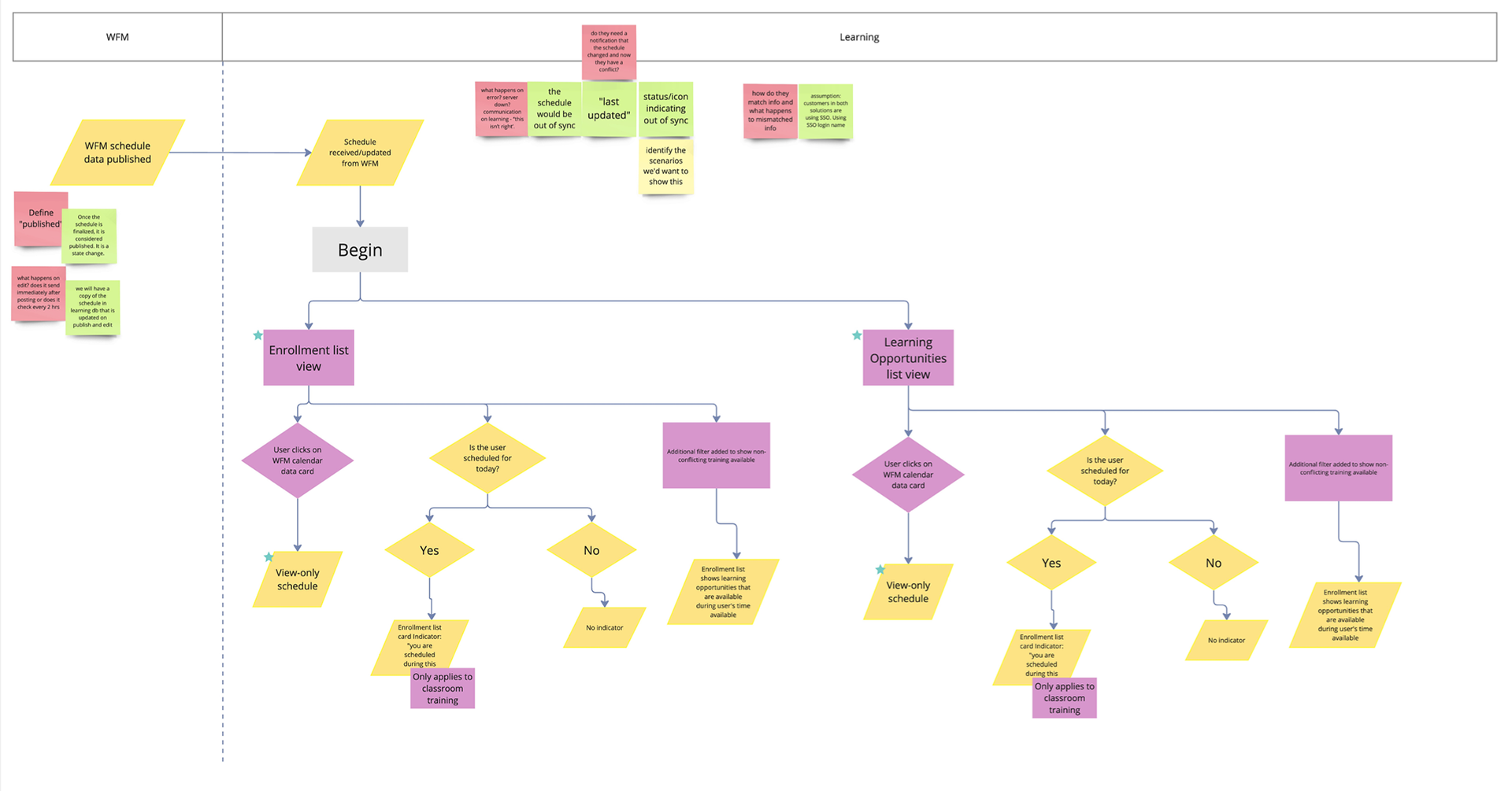

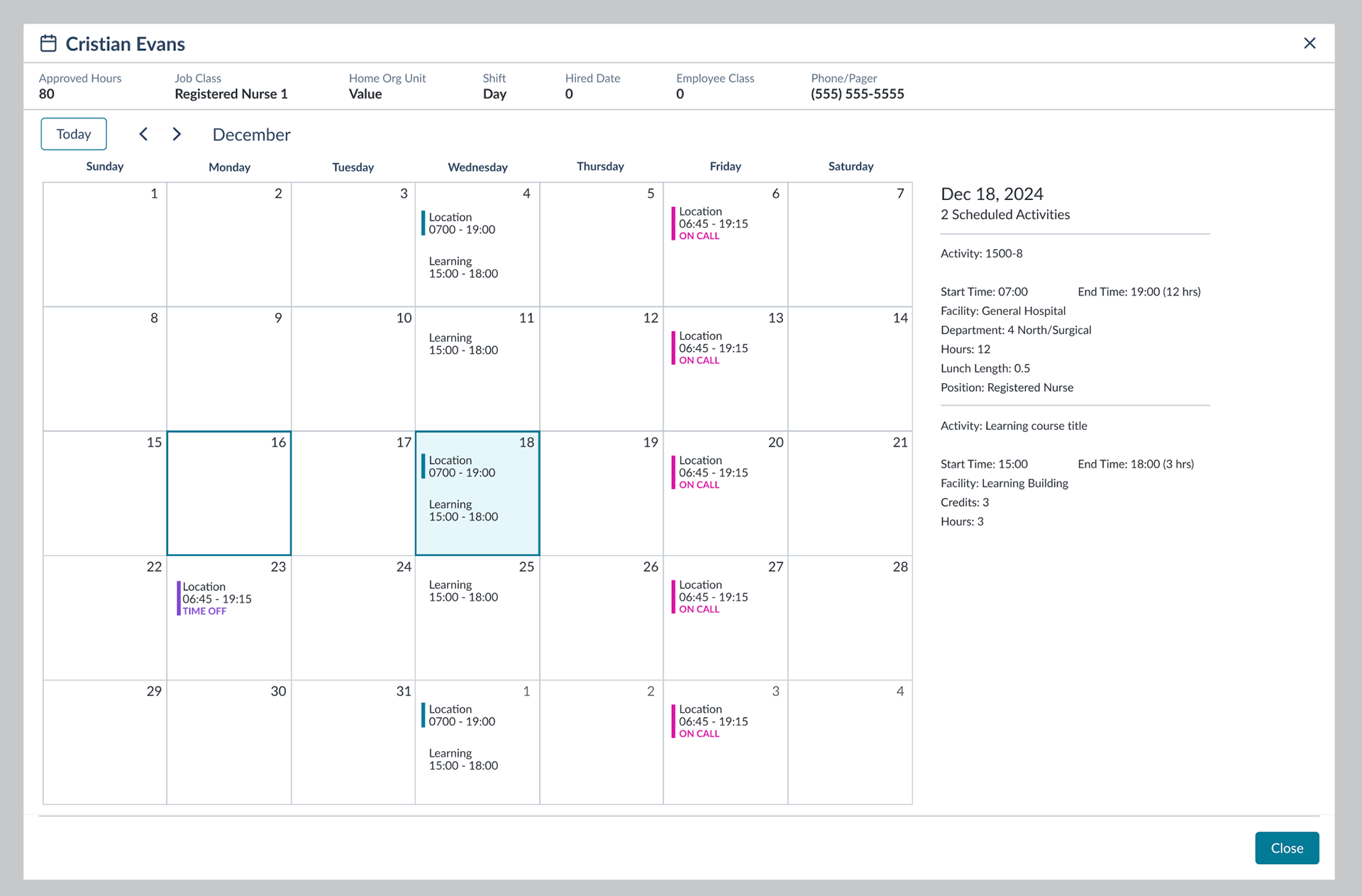


Improved Efficiency: Learners no longer had to manually track their training commitments; scheduling was streamlined through calendar sync.
Reduced Support Burden: Fewer help desk tickets related to “missed classes” or confusion about schedules.
Higher Engagement: Early feedback showed an increase in class enrollment due to the improved visibility of available opportunities.
Positive User Sentiment: Learners expressed appreciation for having all training commitments in one centralized view.Improved kickoff alignment, reducing friction between product and design when scoping features.
This project highlighted the importance of bridging gaps between learning management systems and everyday productivity tools. By designing with the learner’s daily workflow in mind, we created a solution that reduced friction and integrated seamlessly into their existing habits.
One key takeaway was the value of real-time syncing: users trust the system more when updates happen automatically without requiring manual intervention. Looking ahead, further enhancements could include personalized class recommendations and mobile-first optimizations to support learners on the go.